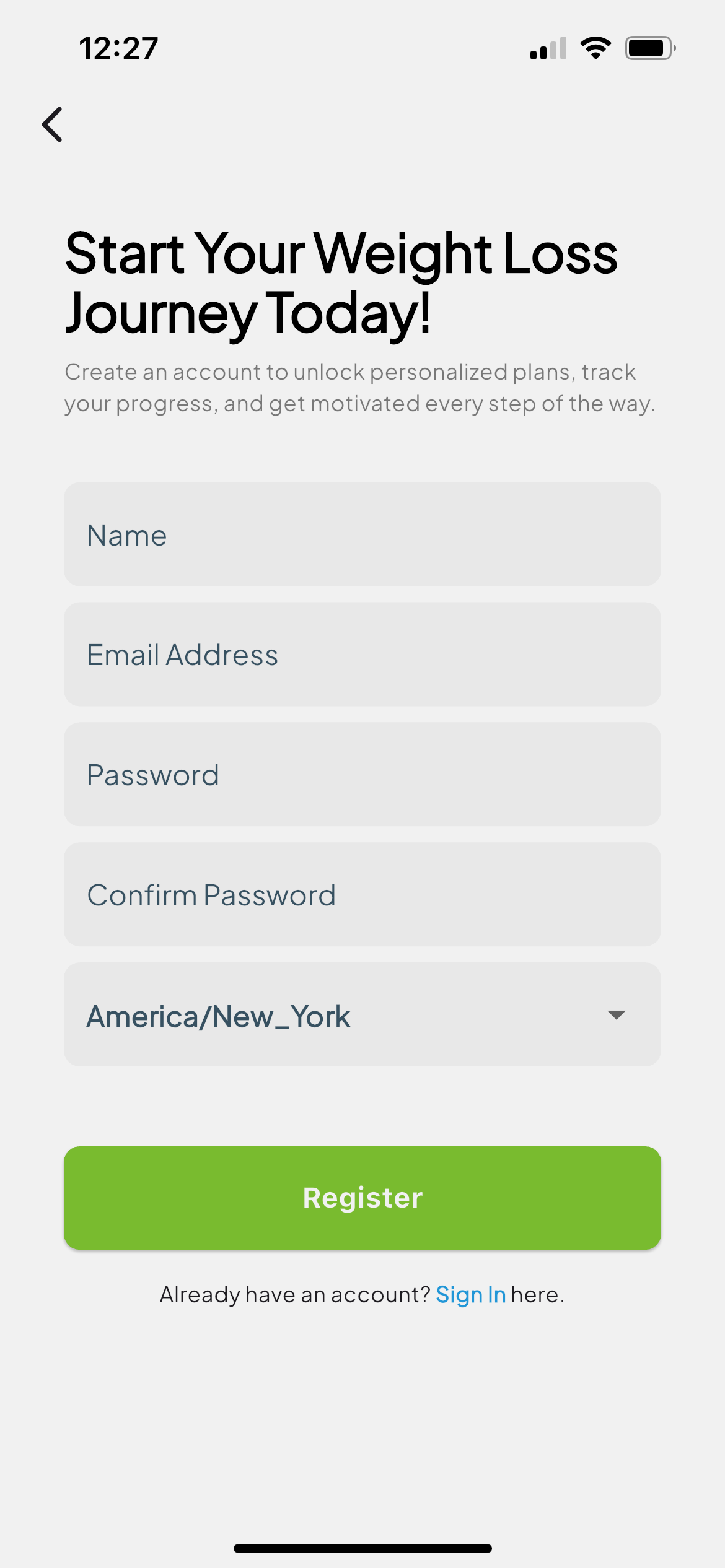
1. Create Your Account
Download Weight Loss Navigator, tap Register, and enter a few basics—name, email, and password. That’s it—no lengthy questionnaires.
2. Why We Ask for TDEE
Your Total Daily Energy Expenditure (TDEE) is the number of calories your body burns each day. We use it to calculate your daily deficit and show real progress.
3. Five Quick Steps
- Age & Gender – simple sliders, no typing.
- Height & Current Weight – enter once, adjust anytime.
- Activity Level – sedentary to very active.
- Goal Pace – choose pounds per week (the app recommends safe ranges).
- Review & Save – confirm and you’re done.
4. Welcome to Your Dashboard
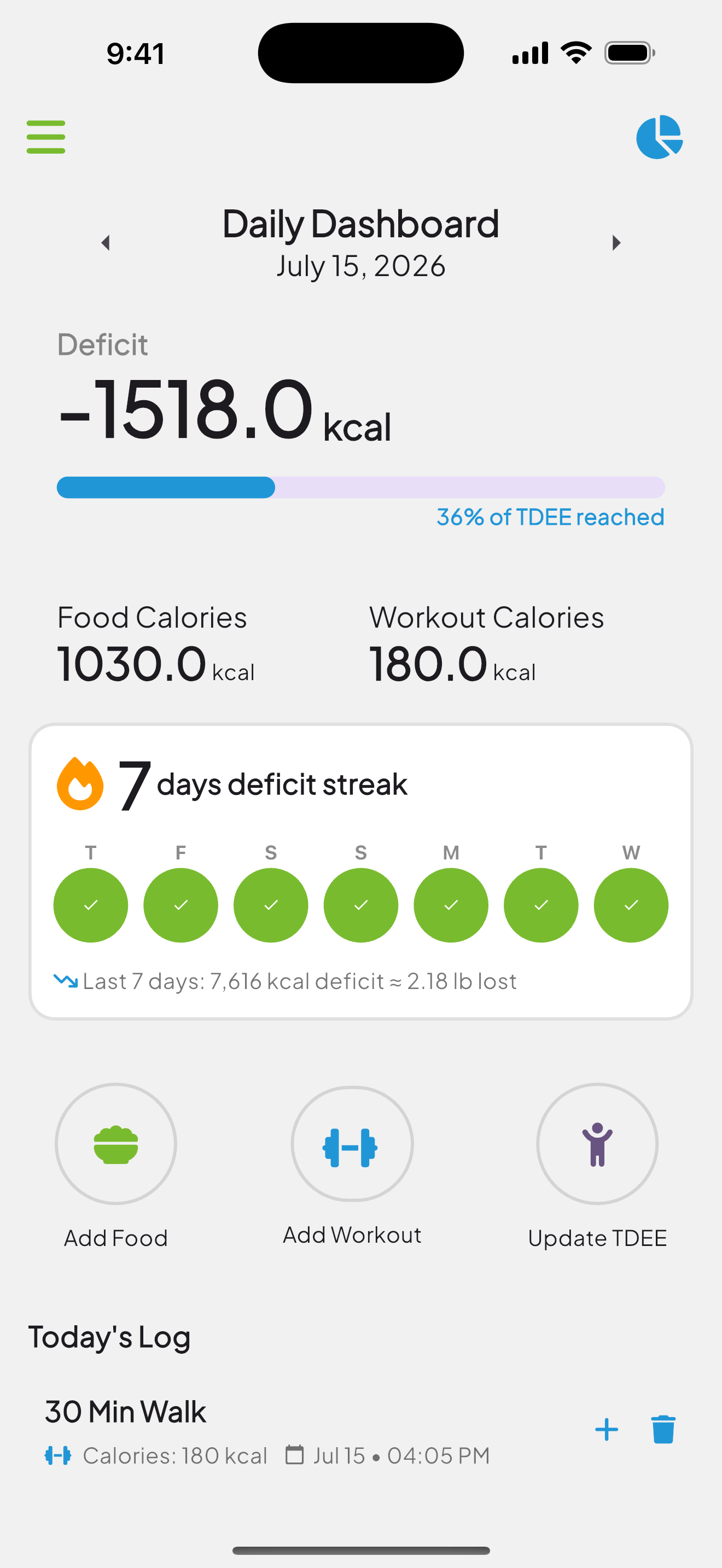
The dashboard immediately shows today’s calories in vs. out, recent meals, and quick-add buttons—everything you need at a glance.